Delete Your Account
Learn how to permanently delete your account and what happens to your data
Important Warning
Deleting your account is permanent and cannot be undone. All your data, settings, and content will be permanently removed.
How to Delete Your Account
Follow these steps to permanently delete your account
1
Navigate to Profile menu
Go to your profile menu from the bottom navigation bar
2
Navigate to Edit Profile
Click on the Edit Profile button in the profile menu
3
Click on three dots
From right top corner, click on three dots
4
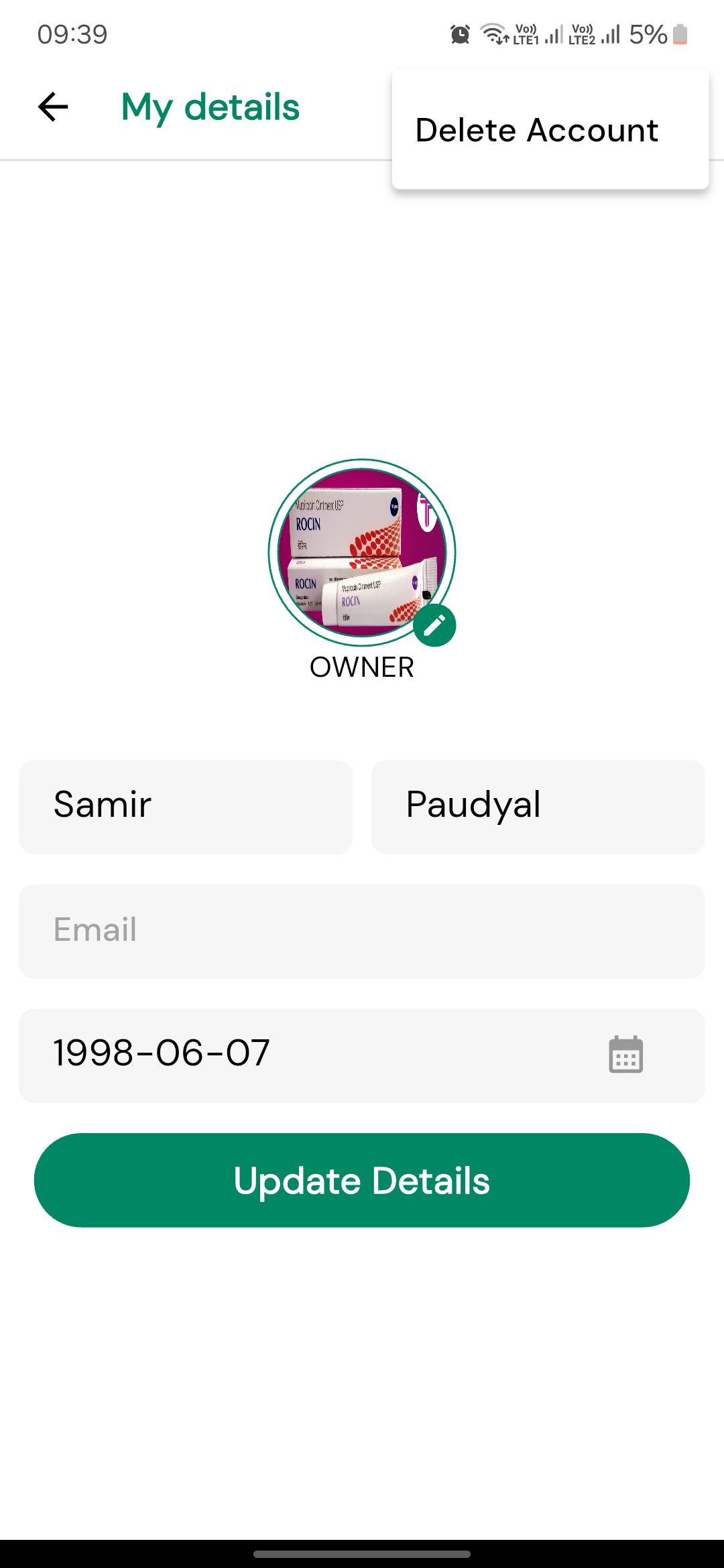
Click on Delete Account
Click on the Delete Account button in the dropdown menu
5
Confirm your decision
A confirmation dialog will appear. Click on the Confirm and that will successfully delete your account.
What gets deleted:
- • Your profile,personal information and business information
- • All associated data and backups
Visual Guide
Here's what the delete account section looks like